Walking Pad Buying Guide: What to Look for in 2026
title: "Walking Pad Buying Guide: What to Look for in 2026" slug: walking-pad-buying-guide-2026 meta_description: "Walking pad buying guide 2026: motor power, belt size, noise levels, speed range, weight capacity, and compatibility with standing desks. All the specs that matter." primary_keyword: "walking pad buying guide" secondary_keywords: ["under desk treadmill buying guide", "how to choose walking pad", "best walking pad 2026"] datePublished: "2026-03-23" dateModified: "2026-03-23" author: "Dr. Sarah Chen"
Disclosure: WalkingPadPicks may earn commissions from qualifying purchases. This does not influence our recommendations.
By Dr. Sarah Chen, Health & Fitness Researcher · Last updated March 23, 2026
Buying a walking pad in 2026 comes down to five decisions: motor power (2.0+ CHP for desk walking), belt size (minimum 16"×40"), noise level (under 65 dB at 2 mph), weight capacity (50 lbs above your body weight), and storage profile (folded dimensions under 24"×24"). Get these five right and you will have a unit that works well under your standing desk for years. Get any of them wrong and you will have a bulky, loud, or underpowered machine that gets abandoned in a corner.
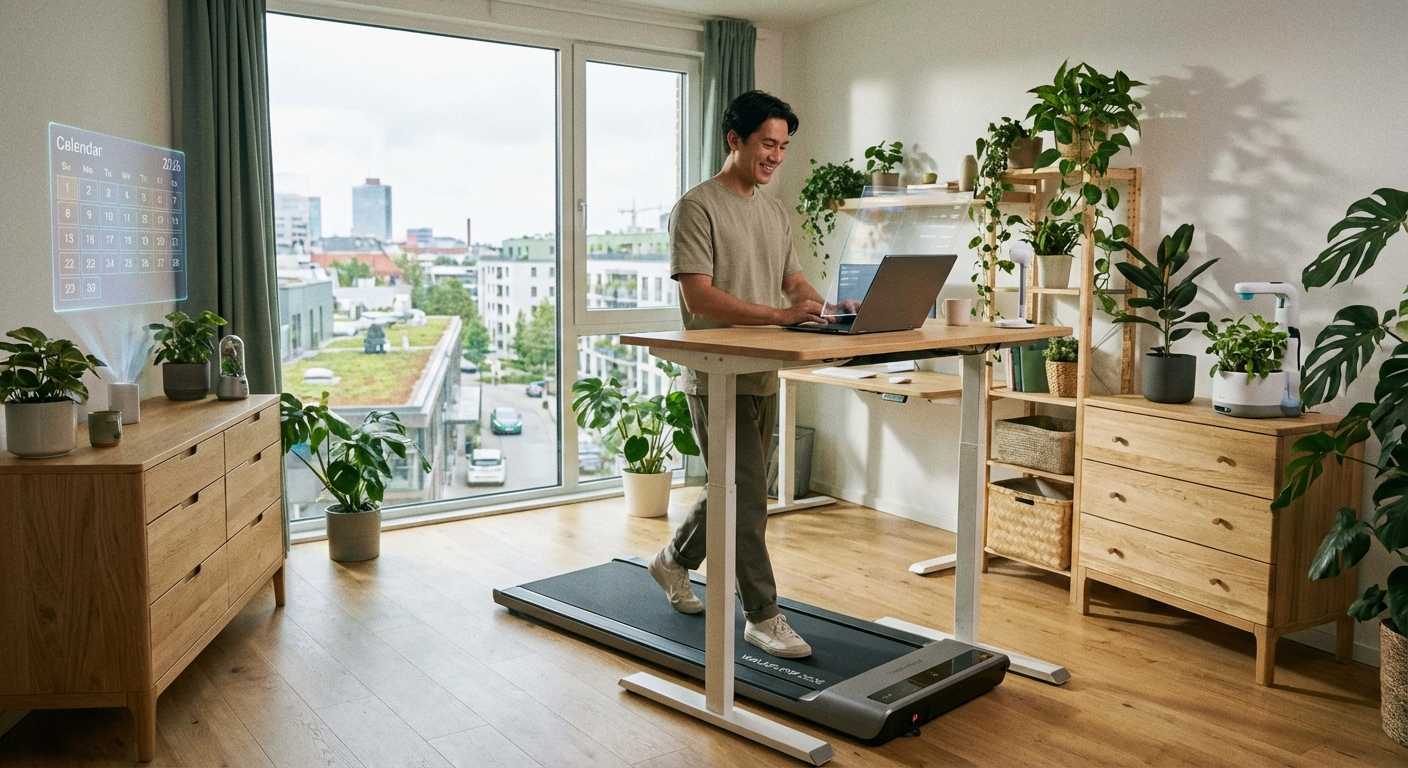 A walking pad desk setup: walking at 1.5-2.5 mph during focused work adds thousands of daily steps without disrupting typing.
How Walking Pads Differ from Treadmills
Walking pads (also called under-desk treadmills) are purpose-built for use at a standing desk. They differ from traditional treadmills in critical ways:
| Feature | Walking Pad | Traditional Treadmill |
|---|---|---|
| Handrail/handles | None or minimal | Full-length handrails |
| Thickness | 4–8 inches | 10–14 inches |
| Max speed | 4–6 mph | 10–15 mph |
| Noise at walk speed | 55–70 dB | 65–80 dB |
| Folded size | 22"×20" or less | 36"×30" or more |
| Price range | $300–$800 | $600–$3,000+ |
| Standing desk use | Purpose-built | Not designed for it |
Walking pads are optimized for the 1–4 mph range used in work sessions. They sacrifice maximum speed, handle support, and cushioning technology to achieve the thin profile and compact storage that makes desk integration practical. If you are still weighing whether a walking pad makes sense for your routine, our guide on are walking pads worth it breaks down the real-world benefits and tradeoffs.
Motor Power: What the Numbers Mean
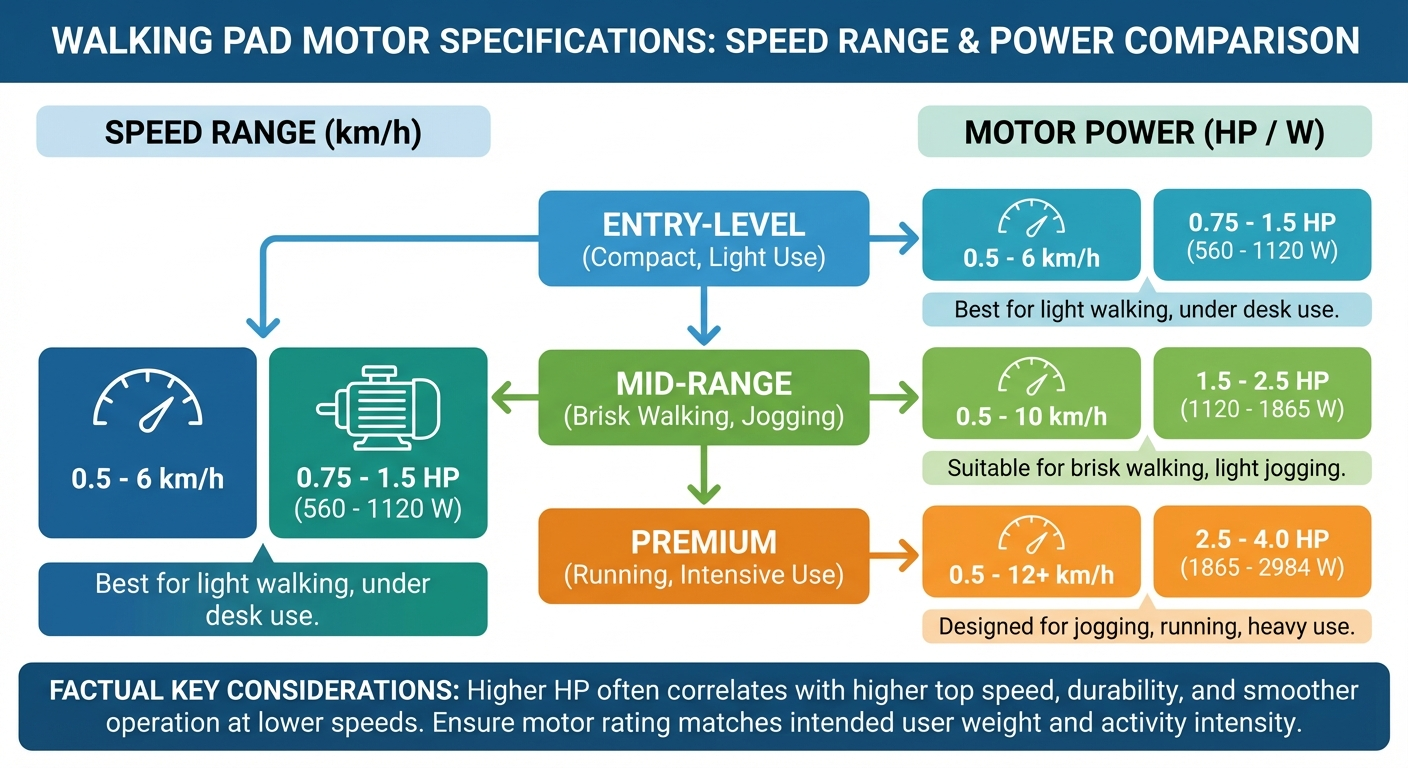 Motor power is the most abused spec in walking pad marketing — understand CHP vs peak HP before comparing models.
Motor power is the most misrepresented specification in walking pad marketing.
CHP vs Peak HP
| Rating Type | What It Means | Which to Trust |
|---|---|---|
| Continuous HP (CHP) | The power the motor sustains during normal use | Use this for comparisons |
| Peak HP | The maximum power for brief moments | Marketing number; not useful for comparison |
A motor rated "2.5 HP" with no qualifier is almost certainly peak HP. A motor rated "2.0 CHP" delivers 2.0 HP continuously. When reviewing budget models, this distinction matters even more — our cheap walking pads: are they worth it guide tests motors across price tiers.
Minimum Requirements by Use Case
| Use Case | Minimum CHP |
|---|---|
| Walking only (1–3.5 mph) at desk | 1.5 CHP |
| Walking + occasional light jog (up to 5 mph) | 2.0 CHP |
| Walking + regular running (up to 6 mph) | 2.5 CHP |
| Heavy users (over 200 lbs), long sessions | 2.5 CHP or higher |
Duty Cycle
Duty cycle tells you how long a motor can run before needing to cool down. A motor with a 50% duty cycle runs 30 minutes per hour continuously. For all-day desk use, look for motors rated for continuous operation or 80%+ duty cycle.
Most quality walking pads (WalkingPad R2, LifeSpan TR1200) are rated for continuous operation. Budget models may have lower duty cycles — check the spec sheet. A motor running beyond its duty cycle overheats, and repeated overheating shortens the motor's lifespan from the expected 5–7 years down to 2–3.
Brushless vs Brushed Motors
In 2026, most mid-range and premium walking pads have switched to brushless DC motors. The practical difference:
- Brushless motors run cooler, last longer, and produce less electrical noise. They are also more efficient, drawing less power for the same output.
- Brushed motors are cheaper to manufacture and found in budget units under $300. They require more maintenance and have a shorter lifespan.
If longevity matters to you (and it should for a device you plan to use daily), prioritize brushless motor models.
Belt Size: How to Get the Right Fit
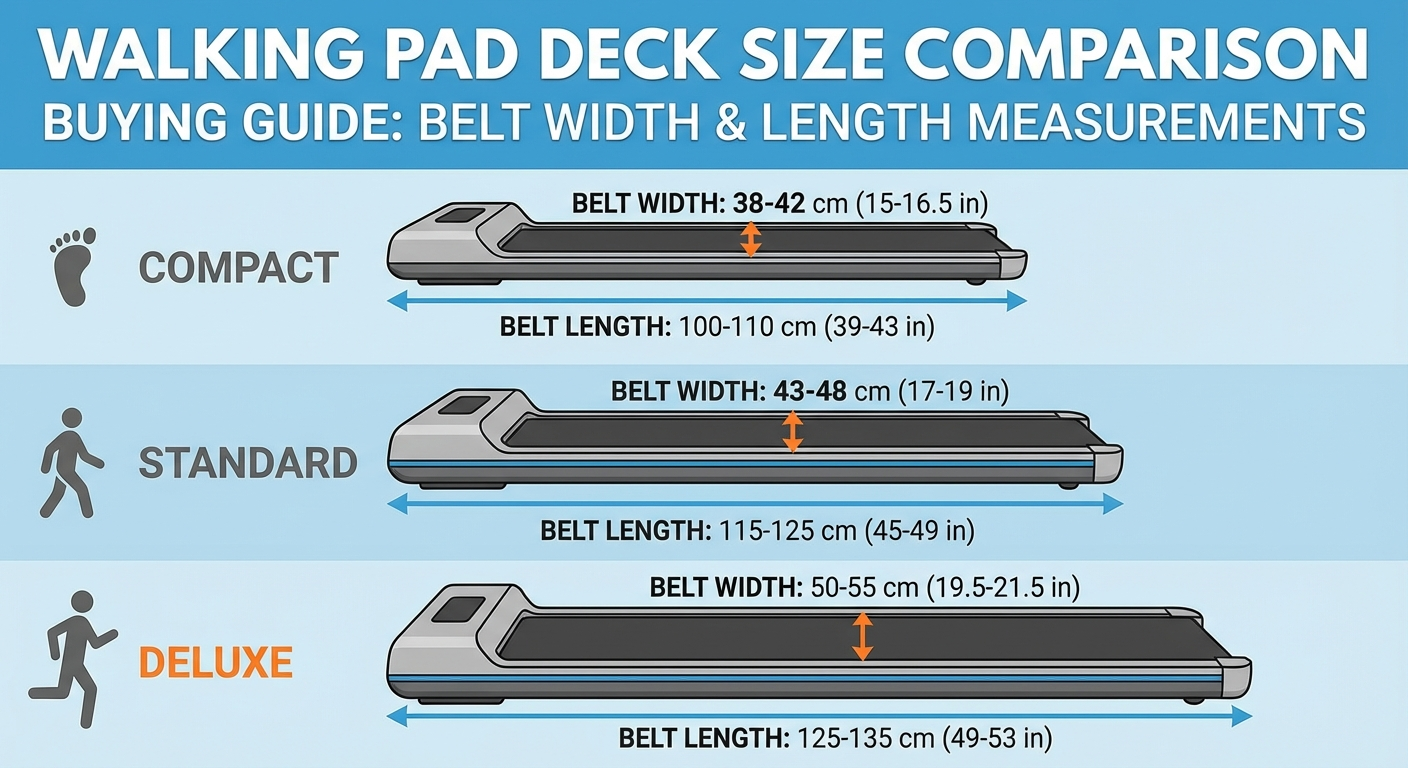 Belt width matters for natural gait — too narrow forces an unnatural single-file stride that increases fall risk.
Minimum Belt Dimensions
| User Profile | Minimum Width | Minimum Length |
|---|---|---|
| Standard adult (under 6' tall) | 16 inches | 40 inches |
| Tall adult (6'+ tall) | 17–18 inches | 45–47 inches |
| Users who jog or run | 18–20 inches | 47–54 inches |
| Users with wide natural stride | 18 inches | 47 inches |
Why Width Matters More Than You Think
Walking pads are narrow by design. The standard WalkingPad A1 Pro belt is 16.9 inches wide — adequate for most users but tight for those with a wide natural gait. If you find yourself looking down to ensure your feet stay on the belt, it's too narrow.
Test: stand with your feet hip-width apart. If your hips are wider than 16 inches, consider a model with an 18-inch belt (WalkingPad C2, LifeSpan TR1200-DT3).
Belt Material and Cushioning
Belt material affects both comfort and noise. The three common types:
- PVC belts: found on most budget and mid-range models. Durable, easy to clean, adequate cushioning.
- Multi-layer composite belts: used on premium models like the WalkingPad R2 Pro. Better shock absorption, quieter footfalls, and longer service life.
- Rubber-coated belts: thicker cushioning, best for users concerned about joint impact. Slightly heavier and found on models designed for longer sessions.
If you plan to walk 3+ hours per day, the belt material directly affects knee and ankle fatigue. A multi-layer belt absorbs 15–20% more impact force than a basic PVC belt, which adds up over thousands of daily steps.
Noise Level: The Overlooked Spec
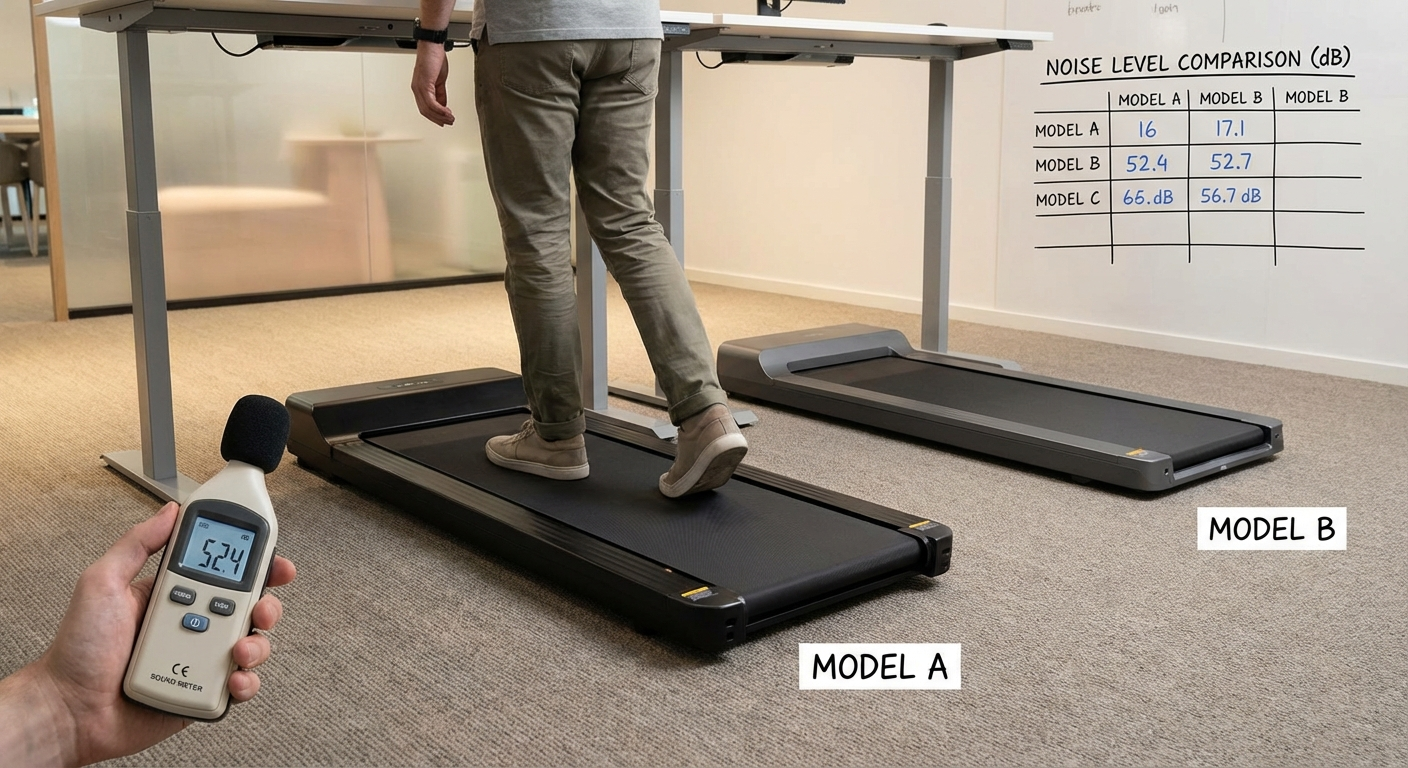 Noise testing at 2 mph — the critical metric for shared office environments.
Noise is the spec that determines whether you can use a walking pad in a shared home or during video calls. For an in-depth breakdown of the quietest models, see our quietest walking pads guide.
Noise Sources in Walking Pads
- Motor noise: constant low-frequency hum — quality at 1-2 mph is 45-55 dB
- Belt and deck noise: impact sound as feet contact the belt — depends on belt cushioning
- Footfall noise: transmitted through the floor — affects downstairs neighbors in apartments
Noise by Speed
| Speed | Expected Noise Level | Context |
|---|---|---|
| 1.0 mph | 45–55 dB | Similar to a refrigerator hum |
| 2.0 mph | 55–65 dB | Similar to a quiet conversation |
| 3.0 mph | 60–70 dB | Similar to normal conversation |
| 4.0 mph | 65–75 dB | Clearly audible in the room |
For Video Calls
Most users on video calls wear headphones. A walking pad at 1.5–2.0 mph registers as background noise similar to an HVAC system — generally unnoticeable to call participants with decent microphone noise gating.
Noise reduction strategies:
- Use an anti-vibration mat under the walking pad (our best walking pad mat guide covers this in detail)
- Walk at 1.5 mph maximum during calls
- Choose a model with belt cushioning (reduces impact noise)
- Place the walking pad on carpet or a rubber mat rather than directly on hardwood
Apartment Considerations
If you live in an apartment, footfall vibration is the primary concern — not the motor noise your neighbors hear, but the rhythmic impact transmitted through the floor. An anti-vibration mat reduces transmitted vibration by 40–60%. Pair it with a walking speed of 2 mph or under and most downstairs neighbors will not notice.
For evidence-based strategies to reduce inflammation from sedentary office work, see our related resource on walking for sciatica relief.
Speed Range: What You Actually Need
Most desk workers walk at 1.5–2.5 mph during focused work — fast enough to maintain benefits, slow enough to type accurately.
Typing Accuracy by Speed
Research on typing while walking shows:
- 1.0–2.0 mph: typing speed and accuracy near baseline (within 5%)
- 2.0–3.0 mph: minor typing speed reduction (5–15%)
- 3.0–4.0 mph: noticeable typing reduction; suitable for reading or calls only
- Over 4.0 mph: significant focus disruption; not practical for most work tasks
Speed Range Recommendations
| Use Case | Recommended Max Speed |
|---|---|
| Desk work only (typing, reading) | 4 mph maximum |
| Desk work + occasional exercise | 6 mph maximum |
| Exercise treadmill that doubles as desk pad | 8 mph maximum |
Most walking pads max at 4–6 mph. The WalkingPad A1 Pro maxes at 4 mph — sufficient for desk use. The WalkingPad C2 and R2 go to 6 mph for users who want to add jogging sessions.
Speed Ramp-Up Period
New walking pad users consistently overestimate their comfortable walking speed. The typical adaptation curve:
- Week 1: 1.0–1.5 mph feels natural while typing
- Week 2: 1.5–2.0 mph becomes comfortable
- Week 3–4: 2.0–2.5 mph is sustainable for most tasks
- Month 2+: 2.5–3.0 mph for passive work (reading, calls)
Do not buy a walking pad based on the speed you want to eventually reach. Buy based on the speed range you will use 90% of the time — which for most people is 1.5–2.5 mph.
Weight Capacity: Don't Ignore This
Most walking pads are rated for 220–265 lbs (100–120 kg). This is the static rating — walking creates dynamic loads that exceed your static weight. For a detailed breakdown of models by weight rating, see our best walking pad for heavy users guide.
Dynamic Load Factor
When your foot strikes the belt, momentary force spikes to 1.2–1.5× your body weight. A 220 lb user generates 264–330 lbs of instantaneous force. If the walking pad is rated for 220 lbs, you are regularly exceeding the design load.
Rule of thumb: choose a walking pad rated at least 50 lbs above your body weight.
| Your Weight | Minimum Recommended Rating |
|---|---|
| Under 150 lbs | 220 lbs sufficient |
| 150–180 lbs | 220 lbs (minimum), 265 lbs preferred |
| 180–220 lbs | 265 lbs (minimum), 300 lbs preferred |
| Over 220 lbs | 300+ lbs required |
Higher-Capacity Models
- WalkingPad R2 Pro: 265 lbs (120 kg)
- LifeSpan TR1200-DT3: 300 lbs (136 kg)
- Goplus 2-in-1 Folding Treadmill: 265 lbs
- UMAY Under Desk Treadmill: 265 lbs
- Sperax Walking Pad: 320 lbs (145 kg)
What Happens When You Exceed Capacity
Exceeding the rated weight capacity does not cause immediate failure. Instead, it accelerates wear:
- Belt slippage: the motor cannot maintain consistent belt speed under load, causing micro-stutters
- Motor overheating: the motor draws more current to compensate, reducing its lifespan
- Frame stress: the deck flexes beyond its designed range, leading to cracking over 6–12 months
- Voided warranty: most manufacturers exclude overweight use from warranty coverage
Folding and Storage Dimensions
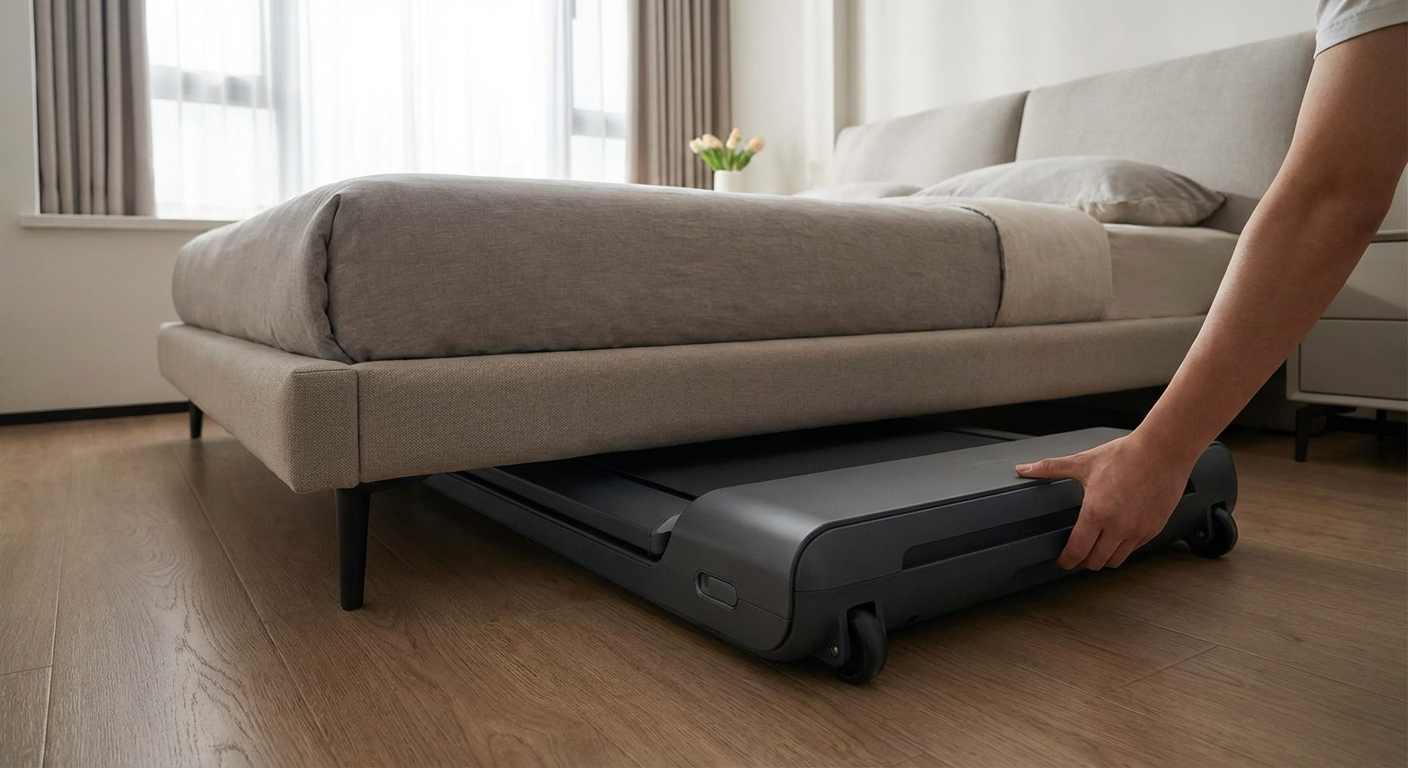 Most walking pads fold lengthwise for storage under a bed or couch — verify folded dimensions before buying.
One of the primary walking pad benefits is storability. But "foldable" covers a wide range:
Folded Dimension Comparison
| Model | Folded Dimensions | Under Bed? |
|---|---|---|
| WalkingPad A1 Pro | 33.5" × 16.9" × 5" | Yes (if bed height > 6") |
| WalkingPad C2 | 36.6" × 16.9" × 5.9" | Yes (if bed height > 7") |
| LifeSpan TR1200-DT3 | 28" × 22" × 8.5" | Too thick for most beds |
| Goplus 2-in-1 | 42.5" × 22" × 5.5" | Tight fit |
| UMAY Under Desk | 42" × 17" × 5.1" | Yes (if bed height > 6") |
Measure your clearance before buying: the space under your bed or couch at the tightest point. Most walking pads need 6–9 inches of clearance when folded.
Folding Mechanisms
Not all folding mechanisms are equal:
- Center-fold (lengthwise): the belt deck folds in half. Most compact when folded but requires lifting the full weight (typically 45–65 lbs).
- Slide-to-fold with wheels: the unit folds and rolls on built-in wheels. Easiest to move, but folded footprint is slightly larger.
- Non-folding slim profile: some walking pads (like certain LifeSpan models) do not fold at all but are thin enough (under 6 inches) to slide under furniture as-is.
If you plan to move the walking pad between rooms daily, wheels and a slide-fold mechanism are worth the slight increase in folded size.
Standing Desk Compatibility
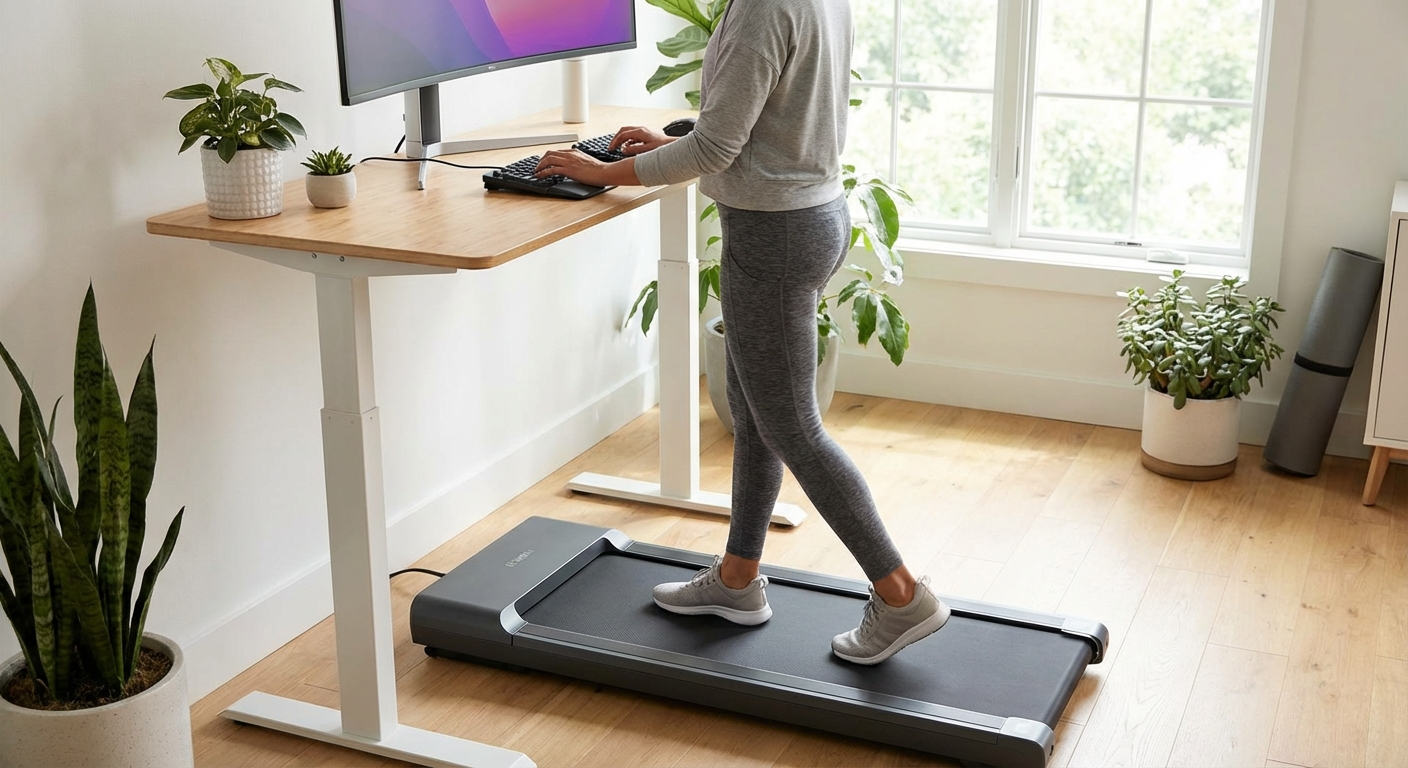 Ergonomic setup: standing desk at elbow height while walking, monitor at eye level, keyboard at neutral wrist position.
Height Requirements
Walking pads are 4–8 inches thick. Your standing desk needs to accommodate:
- Walking pad height: 4–8 inches
- Your height while walking: your standing height
- Ergonomic desk position: elbows at 90° when arms rest on desk surface
Most standing desks set to their standing position (42–48 inches) have room above a walking pad for comfortable use. Shorter desks or users taller than 6'2" may find ergonomic positioning challenging.
Ergonomic Walking Pad Setup
- Set desk height to your normal ergonomic standing position
- Position keyboard so elbows are at ~90° while walking
- Set monitor so top of screen is at eye level (typically requiring monitor arm)
- Position walking pad so the center of the belt aligns with where you'd normally stand
- Start at 1.0 mph for the first week; increase to your target pace over 2–3 weeks
Desk Height Calculator
Use this formula to check whether your standing desk will work with a specific walking pad:
Required desk height = Your height × 0.6 + Walking pad thickness
For a 5'10" (70 inches) user with a 6-inch walking pad: 70 × 0.6 + 6 = 48 inches. If your desk maxes out at 46 inches, you need a thinner walking pad (under 4 inches) or a taller desk.
Control Options
| Control Type | Pros | Cons | Best For |
|---|---|---|---|
| Remote control | Keep remote on desk, easy speed adjustment | Small remote to lose | Most users |
| Smartphone app | Speed adjustment without looking down | Requires phone nearby | Tech-comfortable users |
| Handlebar controls | Intuitive, no accessories needed | Requires handles (reduces portability) | Safety-conscious users |
| Foot sensor | Speed adjusts automatically with stride | Less precise control | Simple setups |
| LED console on unit | Direct control | Must look down or step off | Budget models |
The WalkingPad app (iOS/Android) provides data logging, goal setting, and precise speed control — a strong advantage for users who want to track walking time and daily steps.
Safety Features to Check Before You Buy
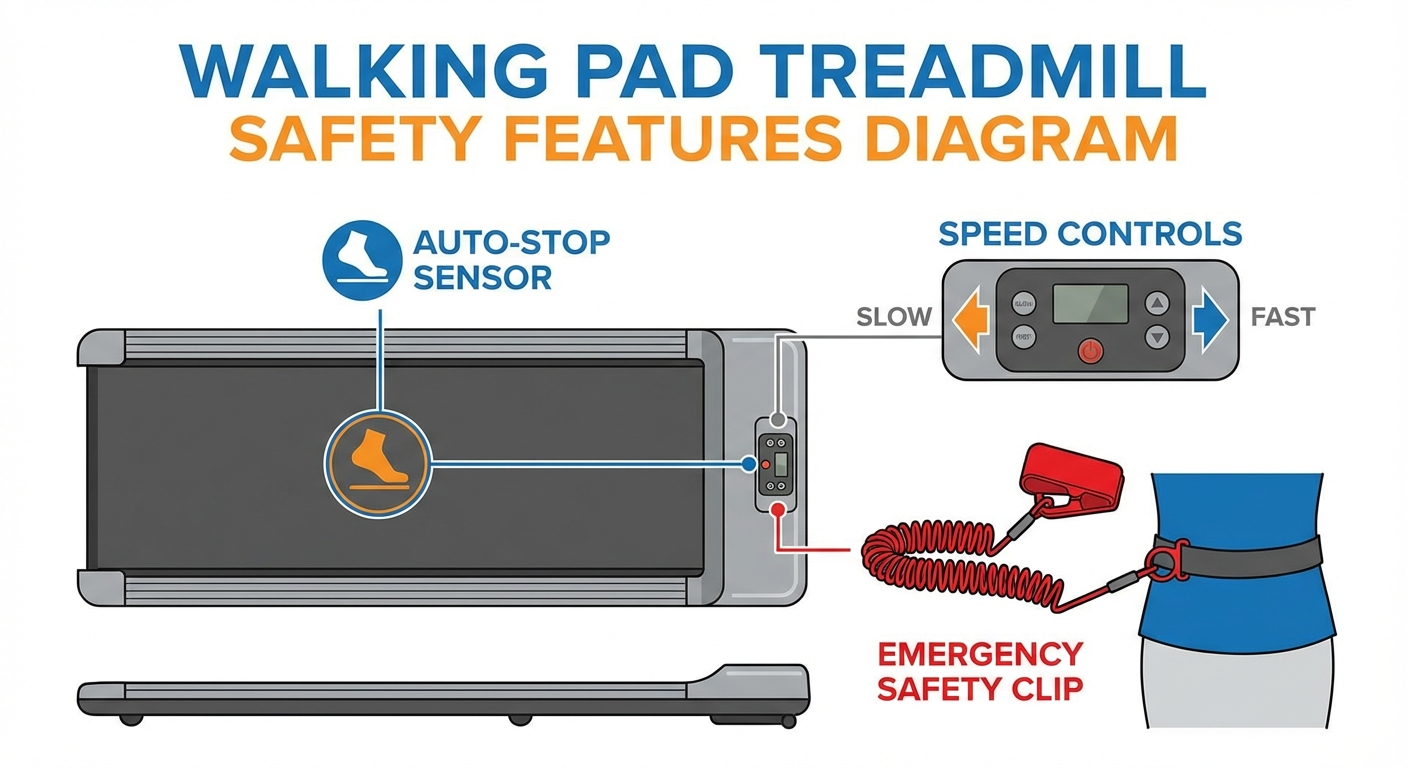 Key safety features: auto-stop edge sensors, child lock, and emergency stop button are non-negotiable for household use.
Safety features are rarely discussed in walking pad marketing, but they matter — especially in households with children or pets.
Essential Safety Features
- Auto-stop sensor: detects when you step off or drift to the edge of the belt and stops the motor within 2–3 seconds. Present on most models; verify it works during your first use.
- Emergency stop: a physical button or magnetic safety key that immediately halts the belt. Some models use a tethered clip similar to gym treadmills.
- Child lock: prevents the walking pad from being activated without a specific input sequence. Critical if children have access to the area.
- Speed limiter: caps maximum speed. Useful during the adaptation period or for shared household use.
- Non-slip belt surface: textured belt material that maintains grip even with socks. Test this — some budget belts become slick with wear.
Common Safety Mistakes
The most common walking pad injury is not falling — it's tripping over the edge while stepping on or off. Always mount and dismount with the belt stopped or at minimum speed (0.5 mph). Never step onto a moving belt at speed.
For a more comprehensive look at safe usage practices, our walking pad safety tips guide covers setup, daily use, and household precautions.
Top Walking Pad Picks for 2026
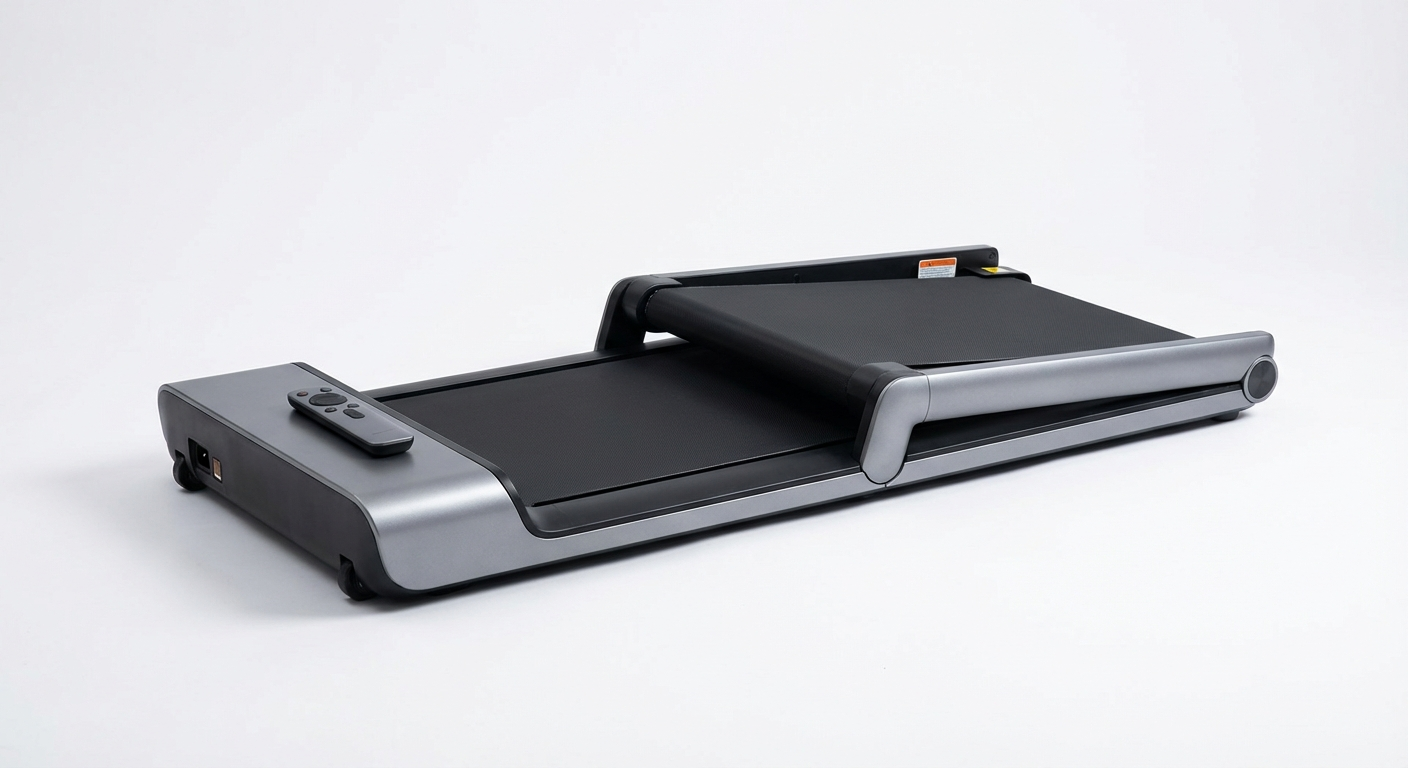
WalkingPad A1 Pro
Best Overall Value
~$400–450
- 2.0 HP motor, max 4 mph
- 16.9" × 40" belt
- 220 lb capacity
- App + remote control
- Folds flat for storage
LifeSpan TR1200-DT3
Best for Heavy Use
~$700–800
- 2.5 CHP motor, max 4 mph
- 18" × 50" belt
- 300 lb capacity
- Bluetooth data tracking
- Continuous duty rated
WalkingPad C2
Best Compact Option
~$450–500
- 1.0 HP continuous, max 6 mph
- 16.9" × 43.3" belt
- 220 lb capacity
- App + remote control
- Thinnest folded profile
UMAY Under Desk Treadmill
Best Budget Pick
~$250–300
- 2.25 HP peak motor, max 4 mph
- 16.5" × 42" belt
- 265 lb capacity
- Remote control included
- Built-in transport wheels
Sperax Walking Pad
Best for Heavy Users
~$350–400
- 2.5 HP motor, max 6 mph
- 17.7" × 44" belt
- 320 lb capacity
- LED display + remote
- Wide belt for comfortable stride
WalkingPad R2 Pro
Best Premium Pick
~$550–650
- 2.0 CHP brushless motor, max 6 mph
- 17.3" × 44" belt
- 265 lb capacity
- App + NFC-enabled remote
- Multi-layer composite belt
Walking Pad vs Treadmill Desk: Which to Choose
A treadmill desk combines the treadmill and desk surface into one unit. A walking pad works independently under any existing standing desk.
| Factor | Walking Pad | Treadmill Desk |
|---|---|---|
| Cost | $300–$800 | $800–$3,000+ |
| Flexibility | Works under any standing desk | Fixed height, fixed setup |
| Storage | Folds flat | Usually non-folding |
| Installation | Plug and use | Assembly required |
| Desk surface | Your existing desk | Built-in |
| Best for | Existing standing desk users | New buyers, all-in-one preference |
Choose a walking pad if you already own a standing desk or want flexibility.
Choose a treadmill desk if you are buying from scratch and want a unified, purpose-built system.
How to Set Up a Walking Pad Desk
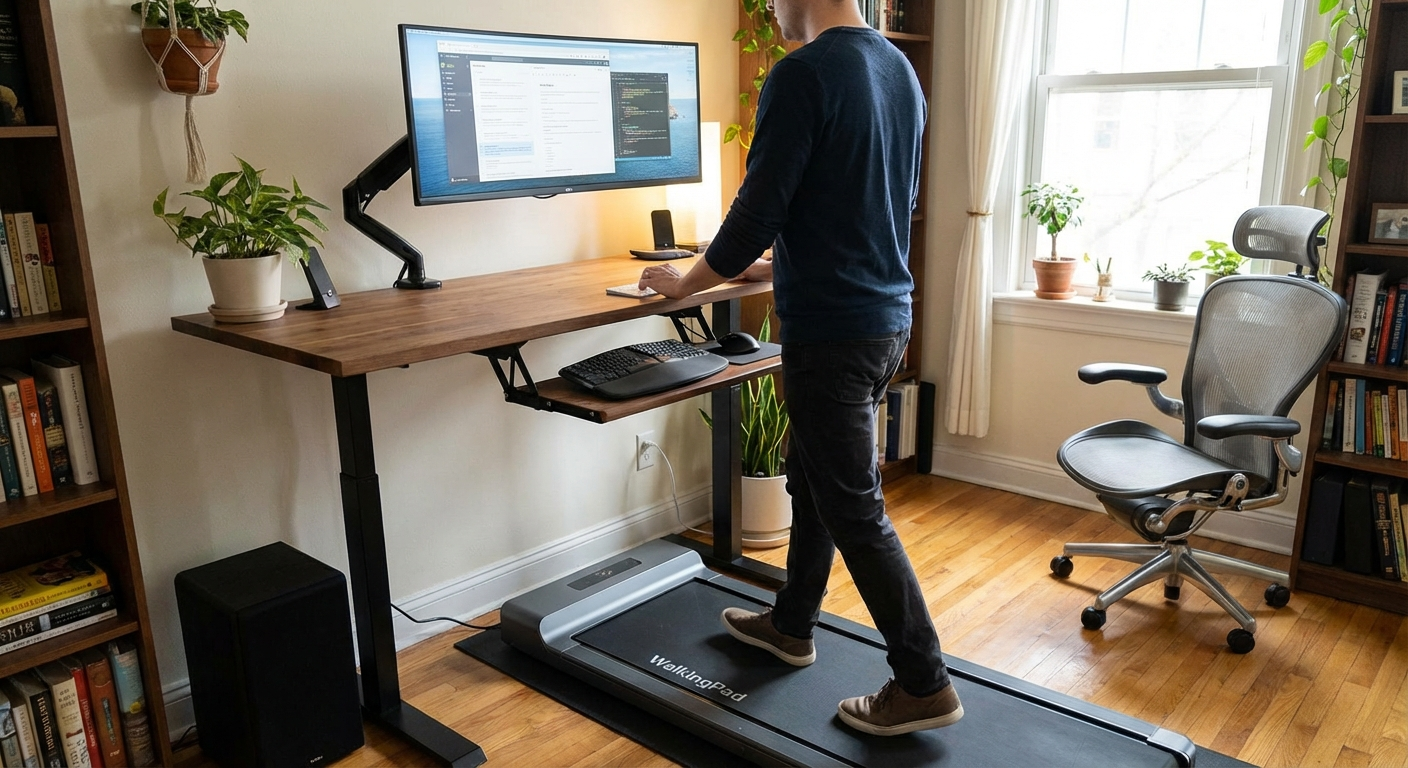 Complete desk setup: anti-vibration mat underneath, cables routed behind the desk, monitor arm at eye level.
- Position the walking pad under your standing desk, centered where you normally stand
- Set desk height: raise to standing position, then test with your arms on the keyboard — elbows should be at ~90°
- Monitor height: position so the top of the screen is at eye level — typically requires a monitor arm
- Cable management: tie up all cables so they don't hang in front of the walking pad
- Anti-vibration mat: optional but recommended — reduces noise and floor vibration transmission
- Start slow: 1.0 mph for the first 3–5 days; gradually increase to your target pace
Target walking pace for work: 1.5–2.5 mph for most tasks. Reduce to 1.0–1.5 mph for calls and writing. Increase to 2.5–3.5 mph for reading or passive tasks.
Shoes and Footwear
Wear supportive, flat-soled shoes with good grip. Running shoes with thick heels change your gait on a narrow belt. Minimalist walking shoes or flat sneakers provide the best control. Avoid walking barefoot — the belt surface generates friction that can cause blisters during extended sessions.
Maintenance and Longevity
A walking pad that receives basic maintenance lasts 5–7 years. One that doesn't may fail in 18–24 months.
Monthly Maintenance Checklist
- Wipe the belt surface with a damp cloth to remove dust and debris
- Check belt alignment: the belt should track centered on the deck. If it drifts left or right, adjust the rear roller tension screws (consult your model's manual)
- Vacuum under and around the unit: dust buildup in the motor housing causes overheating
- Inspect the power cord for fraying or damage
Every 6 Months
- Lubricate the belt: apply silicone-based treadmill lubricant between the belt and deck. Most manufacturers recommend this every 3–6 months depending on usage. Under-lubrication is the single most common cause of premature motor failure.
- Tighten all visible screws: vibration loosens hardware over time
Signs Your Walking Pad Needs Attention
- Belt stuttering or hesitating at low speeds (belt tension or lubrication issue)
- Unusual grinding or clicking sounds (motor bearing or roller issue)
- Belt drifting consistently to one side (alignment adjustment needed)
- Motor running hot to the touch after short sessions (dust buildup or lubrication)
For a more comprehensive maintenance schedule, see our walking pad maintenance guide.
Frequently Asked Questions
What motor power do I need in a walking pad?
For walking at 1–4 mph while working, 2.0–2.5 HP (CHP) is sufficient. Look for continuous HP ratings, not peak HP.
What belt size do I need?
Minimum 16" wide × 40" long for most adults. Taller users (6'+) should choose 18"×47" or larger.
How quiet are walking pads?
Quality models run at 55–65 dB at walking speeds — similar to a quiet conversation. Wear headphones for calls.
Can a walking pad support a standing desk?
Yes — most are designed for this. Verify the walking pad's thickness (5–7 inches) against your standing desk height.
What weight capacity do I need?
Choose a capacity at least 50 lbs above your body weight to handle dynamic walking loads.
Do walking pads fold for storage?
Most fold lengthwise to approximately 22"×20"×5" — fits under most beds and sofas.
What speed range do I need for walking while working?
For desk work, 0.5–4 mph covers all use cases. Most users settle at 1.5–2.5 mph for focused work. A maximum speed of 6 mph adds jogging capability but is not necessary for desk use only.
Sources and Methodology
Research References:
- John Buckley et al. "Standing-based office work shows encouraging signs of attenuating post-lunch dip." Occupational and Environmental Medicine, 2014.
- Thompson WG et al. "Effect of treadmill workstations on computer use and the work environment." Journal of Occupational and Environmental Medicine, 2008.
- ACE (American Council on Exercise): Typing accuracy research at various walking speeds, 2015.
- Levine JA, Miller JM. "The energy expenditure of using a 'walk-and-work' desk for office workers with obesity." British Journal of Sports Medicine, 2007.
- Tudor-Locke C et al. "Revisiting 'How Many Steps Are Enough?'" Medicine & Science in Sports & Exercise, 2008.
- Commissaris DA et al. "Effects of a standing and three dynamic workstations on computer task performance and cognitive function tests." Applied Ergonomics, 2014.
Product References:
- WalkingPad A1 Pro, C2, R2 Pro specifications from KingSmith/WalkingPad official pages
- LifeSpan TR1200-DT3 specifications from LifeSpan Fitness official pages
- UMAY Under Desk Treadmill specifications from manufacturer
- Sperax Walking Pad specifications from manufacturer
- Pricing reflects typical US retail at publication (March 2026)
About the Author
Dr. Sarah Chen, Health & Fitness Researcher
Dr. Sarah Chen holds a PhD in Kinesiology and specializes in occupational health, workplace ergonomics, and movement science. Her research focuses on the intersection of sedentary work environments and practical interventions that improve long-term health outcomes. She has published peer-reviewed studies on treadmill desk ergonomics and typing performance, and serves as an advisor to workplace wellness programs across the US and UK. At WalkingPadPicks, Dr. Chen reviews walking pad specifications against clinical evidence to ensure every recommendation is grounded in real data — not marketing claims.
This site may earn commissions from qualifying purchases — this does not influence our recommendations.
Last updated March 23, 2026